THE MANUAL LOOP
Another account. The same checks.
Open emulator → switch farm → inspect the game → run the task → wait → check again. Repeat for the next farm.
Viking Rise bot for Windows + LDPlayer INVITE-ONLY BETA
Build your strategy. Automate the routine.
Plan heroes and KvK strategy with free Atlas tools. For repetitive farm work, VRA brings routines, resource observations and supported automatic recovery into one Windows command centre. The bot is available to invited beta testers; public registration and sales remain closed.
Atlas is available now without an account. VRA downloads are for invited testers; public sales remain closed. Automation carries account risk; read the guidance before use.
Watch VRA in action Join the conversation on Discord ↗Managing customer farms? Explore VRA Operator →NOT A MOCK-UP. A REAL RUN.
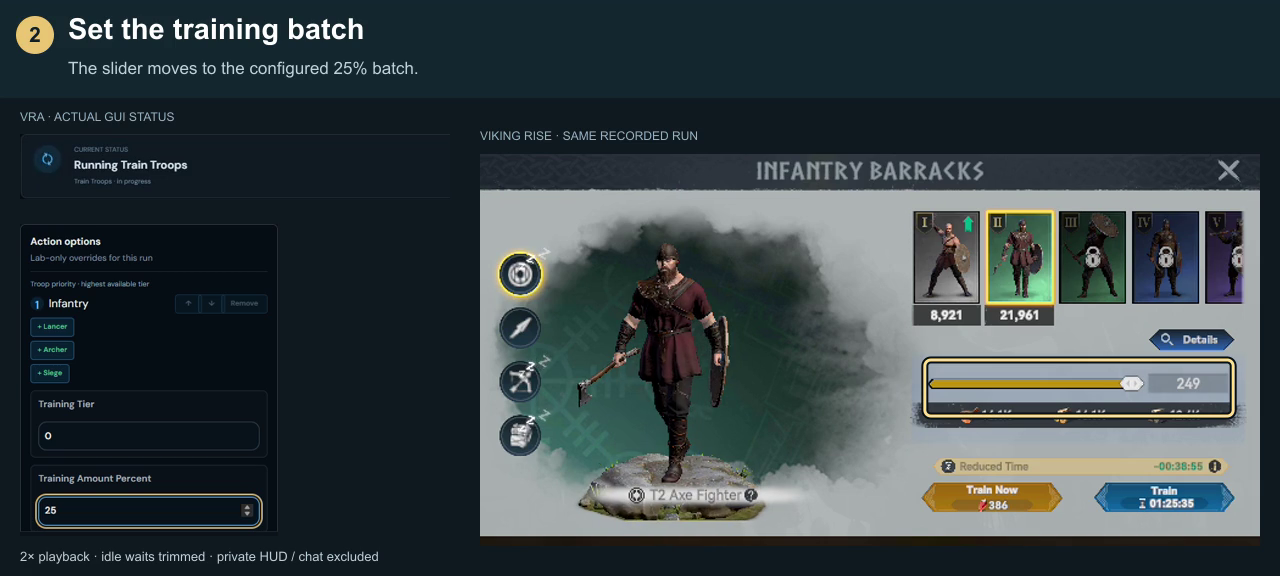
Follow the highlighted controls as VRA configures a troop batch, starts training and confirms the result. Short on-screen notes explain every step.
The highlighted troop and batch controls show exactly what VRA selects.
Watch the blue Train button become an active queue. No instant-training purchase.
The GUI records the completed action. The game’s training timer continues normally.
Actual single-action Lab validation, recorded 23 September 2026. Continuous screen recordings, presented at 2× speed with idle waits trimmed and explanatory annotations added; the final result plays at normal speed. Initial preparation is omitted. Account HUD, chat and developer internals are excluded. The recording shows a verified training start; the normal in-game training timer continues afterward. Playback loops after you press play; pause at any time.
Explore all 26 action settingsBUILT FOR VIKING RISE FARM OPERATORS
VRA brings per-farm workflows, explicit resource limits and visible outcomes into one Windows command centre. Explore what it does before deciding whether it fits your farms.
Pre-release for Windows + LDPlayer. The real training demonstration shows that action—not an all-farm reliability benchmark.
Preparing your PC? Use the free setup planner →Running Viking Rise farms for other people? Give every customer a home: their farms, their routine, their service agreement and a clear record of what happened.
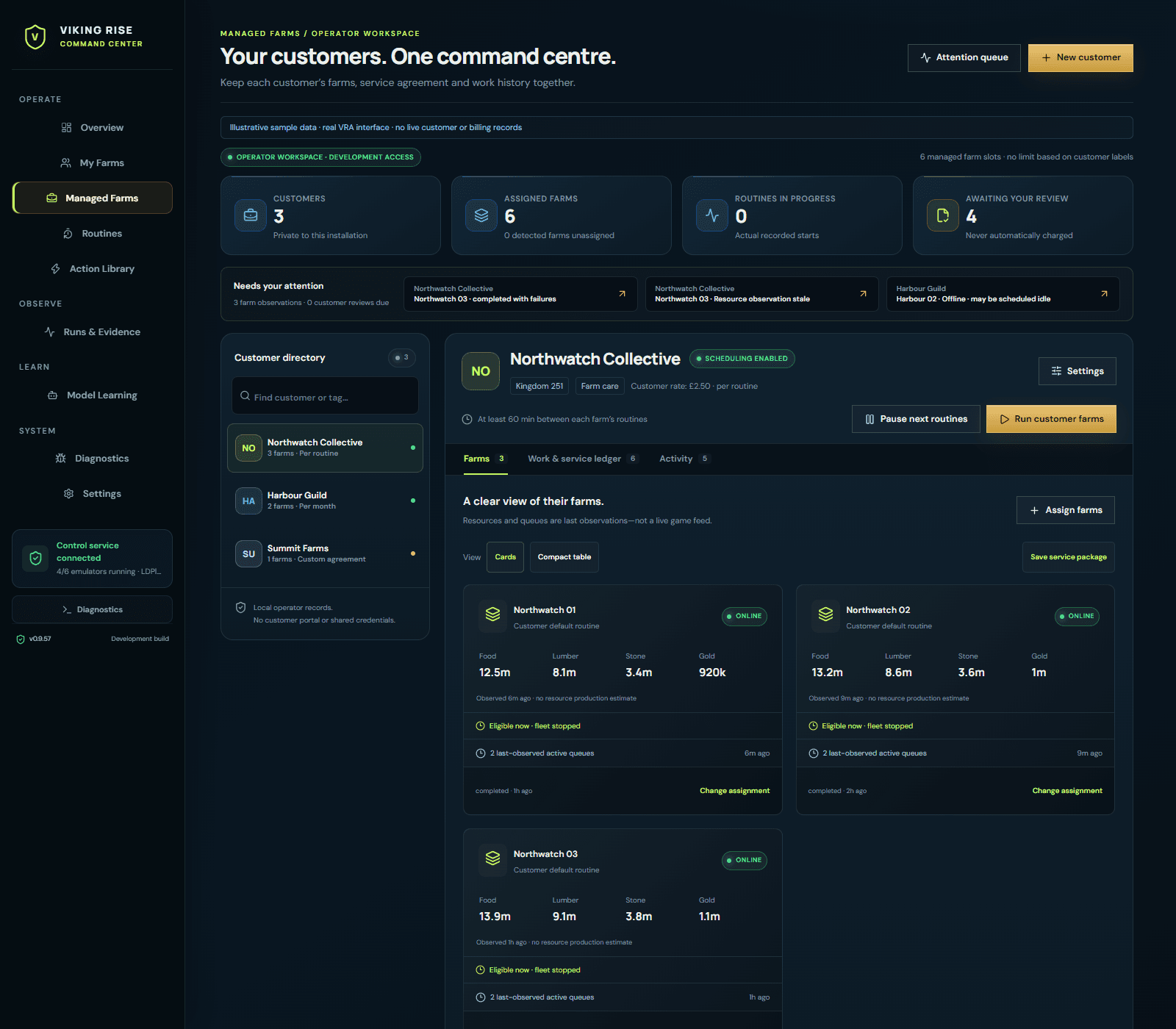
Our product aim: Viking Rise farm routines with verified outcomes, supported automatic recovery and limits you control.
See a verified farm run →Get email updates Explore the Product TourHOW IT FEELS TO USE
Choose the work and its limits. VRA checks current game state, attempts supported recovery and keeps useful results together on each farm.
Assign actions, schedules and limits to each farm. The same workflow engine powers validation runs and farm routines.
A tap alone is not success. VRA checks for the expected result, recognises supported active queues and avoids starting work that is already running.
When recovery succeeds, VRA can skip a failed action and continue other eligible work. The next pass checks current game state again. Genuine startup, identity or access problems can still need help.
MORE FARMS. FEWER WINDOWS TO CHECK.
Different farms can keep different routines. One overview brings readiness, assigned work and attention together.
THE MANUAL LOOP
Open emulator → switch farm → inspect the game → run the task → wait → check again. Repeat for the next farm.
THE VRA APPROACH
Choose your farms → run configured routines → recover where supported → recheck work on the next pass.
Start with one farm and a small routine, then increase concurrency within your PC’s capacity. Set concurrency to suit your hardware and the routines you choose.
How schedules and farm capacity workIT DOESN’T JUST CLICK
In the healing example below, VRA starts normal timed healing, checks the active queue and confirms tribe assistance.
Follow a verified healing action from its starting state to its recorded result, with an original screenshot crop from the development run.
The Infirmary showed wounded troops and an eligible timed Heal control after ready city output was collected.
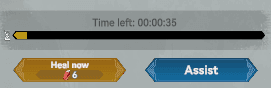
Step through the recorded observations and original screenshot crop. This text replay follows a real development action; the Product Tour also includes a recorded training run.
BUILT TO BE INSPECTED
See completed work, existing queues and actions skipped for this pass. Per-farm history and optional support diagnostics keep useful detail available without making yesterday’s failure a permanent review task.
Explore VRA EvidenceChoose supported spending permissions, resource limits and workflow policies. Automatic recovery respects those limits. It is not permission to repeat an uncertain purchase or ignore an explicit Stop.
See the reliability approachSector Vision is being developed to recognise and track moving targets in real game captures, extending the visual tools behind VRA’s farm workflows.
Inside Sector VisionScripts teach. Evidence verifies. VRA improves only with permission. How optional contribution works →
THE WORK YOU REPEAT
26 implemented workflows, each with its own checks, settings and limits. Explore the supported settings and game-state checks in the workflow reference.
Check ready city output, mail, quests and tribe rewards.
Explore workflows ↗Set research and building priorities; preserve work already in progress.
Explore workflows ↗Configure training batches, healing and eligible free recruitment.
Explore workflows ↗Choose gathering targets, march limits and which owned items to use.
Explore workflows ↗Set boundaries for commissions, exploration and daily buildings.
Explore workflows ↗AVAILABLE TO EXPLORE
Use the free planning tools today, or request an invitation to test VRA. Recorded demonstrations and milestones describe their own scope—not a promise that every farm routine succeeds.
FREE · NO ACCOUNT
Pair heroes, compare supported equipment bonuses and draw phase-specific KvK plans. Save and share a configuration that your teammates can reproduce.
Use free Atlas toolsINVITE-ONLY BETA
Guided setup, per-farm routines and support diagnostics are available to invited testers. Some workflows still need improvements; practical feedback helps identify them.
Request VRA beta accessA new home for Viking Rise knowledge, hero builds and kingdom strategy. Atlas brings our free Hero Planner, KvK guides and interactive battle maps together—no account or VRA subscription required. Our ambition is a Wowhead-style destination for Viking Rise: somewhere you return to learn, experiment and plan with your tribe.
Read the dated changelogTHE VRA COMMUNITY / DISCORD
See real VRA demonstrations, follow development updates and talk through the farm jobs you want off your hands.
Free to join. Discord and the email waitlist are separate; neither guarantees a beta place.
 A real run. A visible result.Recorded development test · Watch the 12-second demonstration
GO AS DEEP AS YOU LIKE
Explore the real interface, inspect the reliability method or work through the support Wiki. The technical detail stays available behind every product claim.
BEFORE YOU JOIN
Invited beta testers can sign in to the account portal and download VRA. Everyone else can request an invitation. Requests do not guarantee access, create an account or start a trial. Public registration and sales remain closed. Atlas tools are free and available to everyone without an account.
Not every error requires you to intervene. VRA attempts supported recovery and can skip a failed action, continue other eligible work and recheck current state on the next pass. Genuine startup, ownership, identity or access problems can still prevent a run. Beta workflows are not guaranteed to work on every account.
No. Dataset contribution will be optional, default-off and separate from your licence and email subscription. If you opt in, VRA will handle eligible example collection during normal use. You will not need to prepare screenshots or train a model. Declining will not reduce core farm automation.
No. Teacher-guided development uses structured examples and offline evaluation. A customer action does not immediately retrain a model or change its control permissions. Models do not get to authorise their own spending or retries.
Eligible new invited accounts receive seven days without a card through client activation. A beta request does not start the clock. At expiry, automation stops unless VRA has granted an extension or a separate valid entitlement applies. Public purchases remain closed.
VRA is unofficial automation. Its use may breach applicable game rules and can put accounts at risk of restrictions, suspension or termination. No bot can guarantee protection from enforcement. VRA is independent of IGG and Viking Rise.
VRA is unofficial automation. Its use may breach applicable game rules and can put accounts at risk of restrictions, suspension or termination. No bot can guarantee protection from enforcement.
Read IGG’s official terms Independent software by VRA. Not affiliated with or endorsed by IGG or Viking Rise.Free Atlas tools for every player. Invite-only VRA automation for testers ready to give feedback.